The 6 choices that determine the result
A successful mural considers the image, the wall and how the room is used. These six points help prepare the project in the right order.
The desired mood
Decide whether the room should feel calm, energetic, warm, bright or dramatic.
The right image
Choose a subject whose important elements remain visible after cropping to the wall’s proportions.
Resolution
File quality must be assessed at the printed size, not only by how it looks on screen.
Exact dimensions
Measure width and height in several places. The configurator automatically adds a 2 in cutting allowance per dimension; do not add it a second time.
The material
A matte textured finish reduces glare and creates a more natural look in most rooms.
Wall preparation
The wall should be clean, dry, smooth and sufficiently cured after painting before installation.
Custom mural or standard wallpaper?
A custom mural is prepared for your wall’s dimensions and proportions, allowing control over crop and image scale. Standard wallpaper generally repeats a pattern in fixed-size rolls.
Peel and stick mural or commercial wallpaper?
Our self-adhesive wall mural uses 6 mil textured matte polymer vinyl. Its low-glare finish suits photographic landscapes and decorative designs. It is applied to a properly prepared surface without a separate wallpaper paste.
For commercial projects, our Vescom Tabby wallcovering is installed with paste in 24-inch panels. The choice should reflect the surface, installation method and project requirements, not just the image. Compare the materials and installation details before ordering.
What determines the price of a custom wall mural?
Wall dimensions, selected material, quantity and options determine your project price. Enter your measurements in the price calculator and check whether CAD or USD is selected. Review taxes, shipping exceptions and any additional services before confirming your order.
A displayed example price refers to its stated dimensions and material; it is not a quote for every wall. For a multi-wall space or commercial installation, request a project-specific quote.
Will my photo be sharp enough at wall size?
Send the original, highest-resolution file rather than a screenshot or a compressed social-media copy. Sharpness depends on the source image, final print dimensions, crop and viewing distance. A file that looks clear on a phone is not automatically suitable for a large wall.
Upload your photo and share your intended dimensions so our team can assess it. For rooms with doors, windows or furniture, send a straight-on photo of the wall to help plan the placement of important details.
Ordering in Canada or from the United States
Our Quebec City team supports residential and commercial projects in English and French. Start with our Canadian ordering guide for delivery and currency information. For U.S. destinations, see the United States guide, which explains delivery and customs arrangements. Murale Design covers customs duties for shipments to the United States. These duties are included in our prices.
Explore completed commercial projects for examples of our work, and consult the installation instructions before preparing your wall.
Before ordering
- Photograph the wall straight on
- Note outlets, doors and windows
- Confirm dimensions in inches or centimetres
- Keep the original image file
- Check the surface condition and texture
- Use the calculator to estimate the price
Frequently asked questions
Can I use my own photo?
Yes. The file should be checked at final size to confirm its resolution and crop.
Can I install the mural myself?
Yes, when the wall is properly prepared and instructions are followed. A second person makes large panels easier to align.
How do I know the price?
Price mainly depends on final dimensions. The calculator provides an estimate before selecting the final image.
Measure once, then check the crop
- Measure the width at the top, middle and bottom. Measure height in several places and record the largest width and height.
- Enter the wall measurements in the configurator using the unit shown beside the inputs. If your notes are in centimetres and the inputs are in inches, convert them first: 1 inch equals 2.54 cm.
- The mural configurator adds a 2-inch cutting allowance to each dimension. For a 96 × 96 in wall, enter 96 × 96 in; do not add the allowance again.
- Mark doors, windows, switches and furniture on a straight-on photo. Check where the focal point will sit before confirming the crop.
A wide landscape and a square wall have different proportions. A square crop keeps a smaller portion of that landscape; check the bridge, tree, flower or horizon you want to preserve. Read the wall-measurement guide.
Match your wall to the installation method
| Your wall | Next step |
|---|---|
| Smooth, painted, clean and dry | Check paint condition and curing, then follow the peel and stick preparation instructions. |
| Freshly painted | Follow the paint manufacturer’s full curing time before applying an adhesive covering. |
| Brick, pronounced texture or damaged paint | Send a close-up photo and ask for advice before choosing a material or ordering. |
| Moisture exposure or special facility requirements | Describe the conditions and required documentation. A decorative image does not establish suitability for that environment. |
Compare peel and stick vinyl, commercial wallpaper and canvas. Commercial wallpaper requires suitable wallpaper adhesive; it is a different installation method from the self-adhesive mural. Follow the installation guide for your selected material.
Send a file that can be assessed at print size
Keep the original image rather than copying a thumbnail from a website or messaging app. Include the full wall dimensions and indicate the area you intend to crop. Pixel dimensions alone do not establish sharpness: focus, compression, enlargement and viewing distance also matter.
For a branded wall, send the original logo artwork you are authorized to reproduce and identify any required colours. For a photographic mural, tell us which details must remain visible. Submit your own image or read the image-resolution guide.
Measurements and preparation: direct answers
Should I add the cutting allowance to my measurements?
Enter the measured wall width and height. The mural configurator automatically adds 2 inches to each dimension for trimming. Do not add those 2 inches a second time. Review the displayed dimensions and ask our team if your wall has an unusual shape.
Should I subtract doors or windows from the wall size?
For a continuous image across one wall, measure the full wall rectangle and mark the openings on a photo or sketch. Do not subtract their area from the width and height. Ask our team to review complex openings or several adjoining walls before ordering.
How long should fresh paint cure?
Follow the paint manufacturer’s curing instructions before applying the mural. Dry to the touch is not necessarily fully cured. Tell our team the paint type and application date if you are unsure; do not assume one waiting period suits every paint.
Will the finished mural look exactly like the room preview?
The preview illustrates an arrangement, not the dimensions of your particular room. The selected crop, wall proportions, furniture and lighting affect the result. Review the actual customization preview and the printed material information before confirming.
Completed work to help plan your project
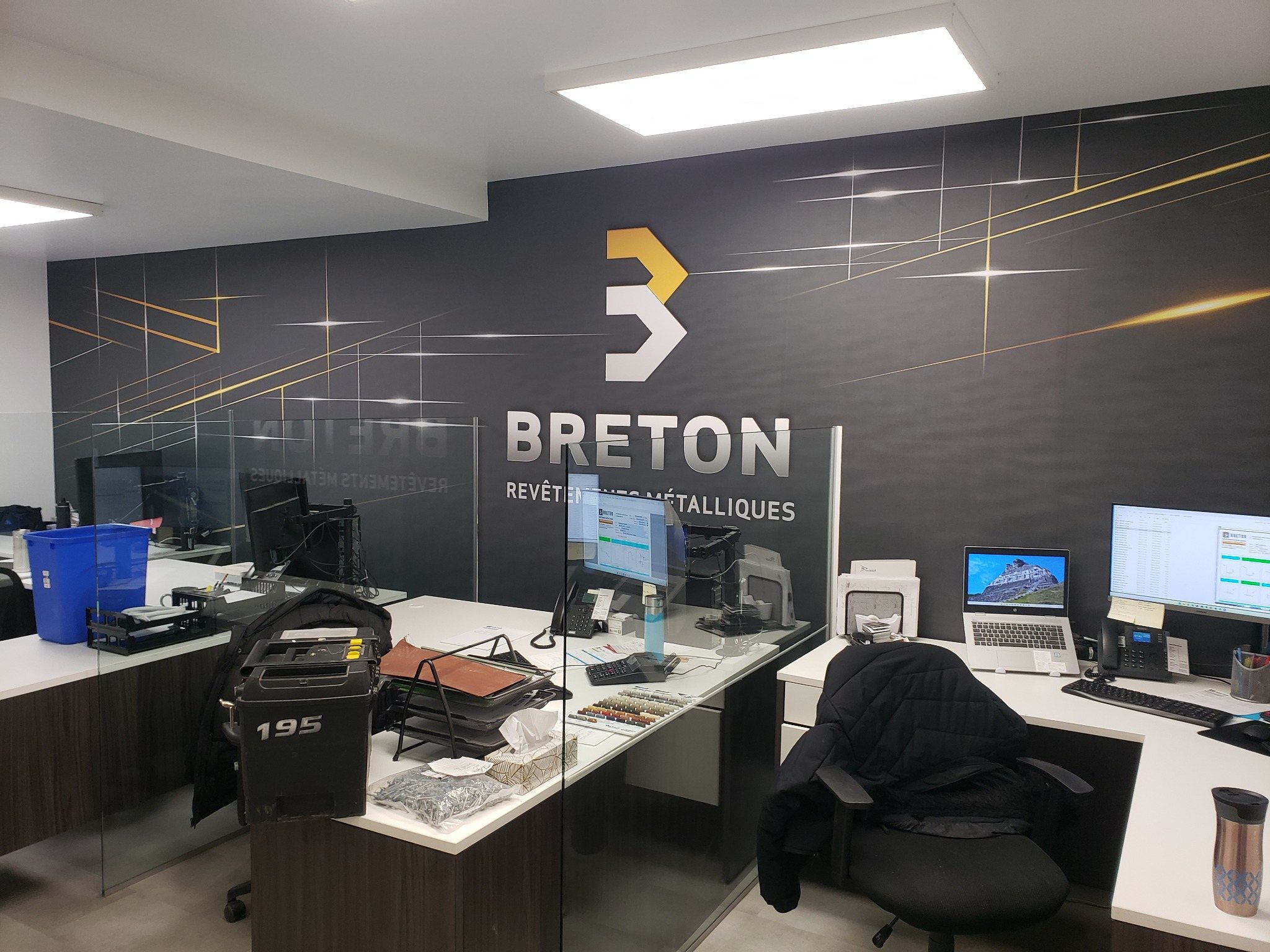
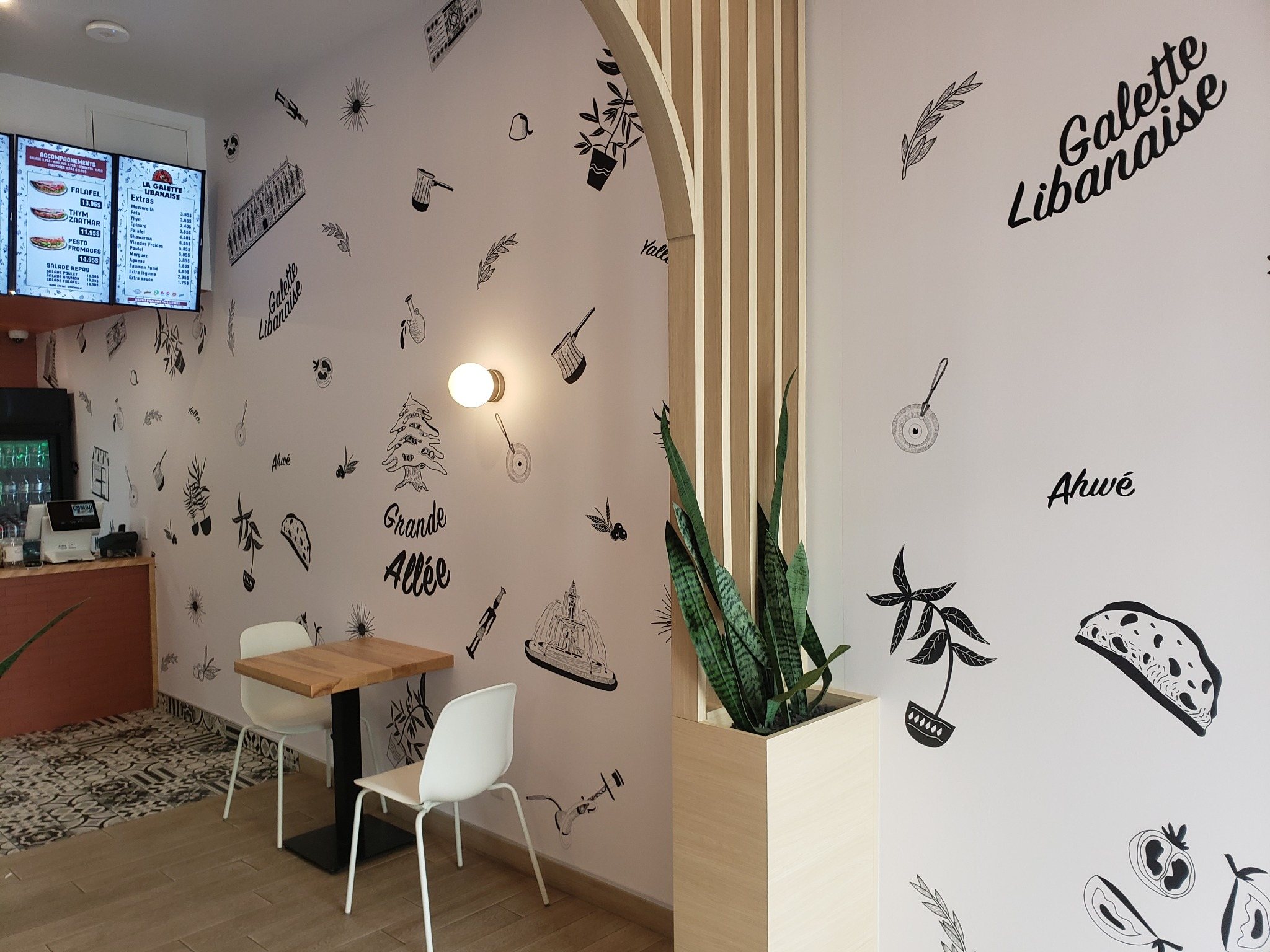
These examples from our portfolio show how a logo or illustration can become part of a business interior. Use their composition to help plan your own mural.