
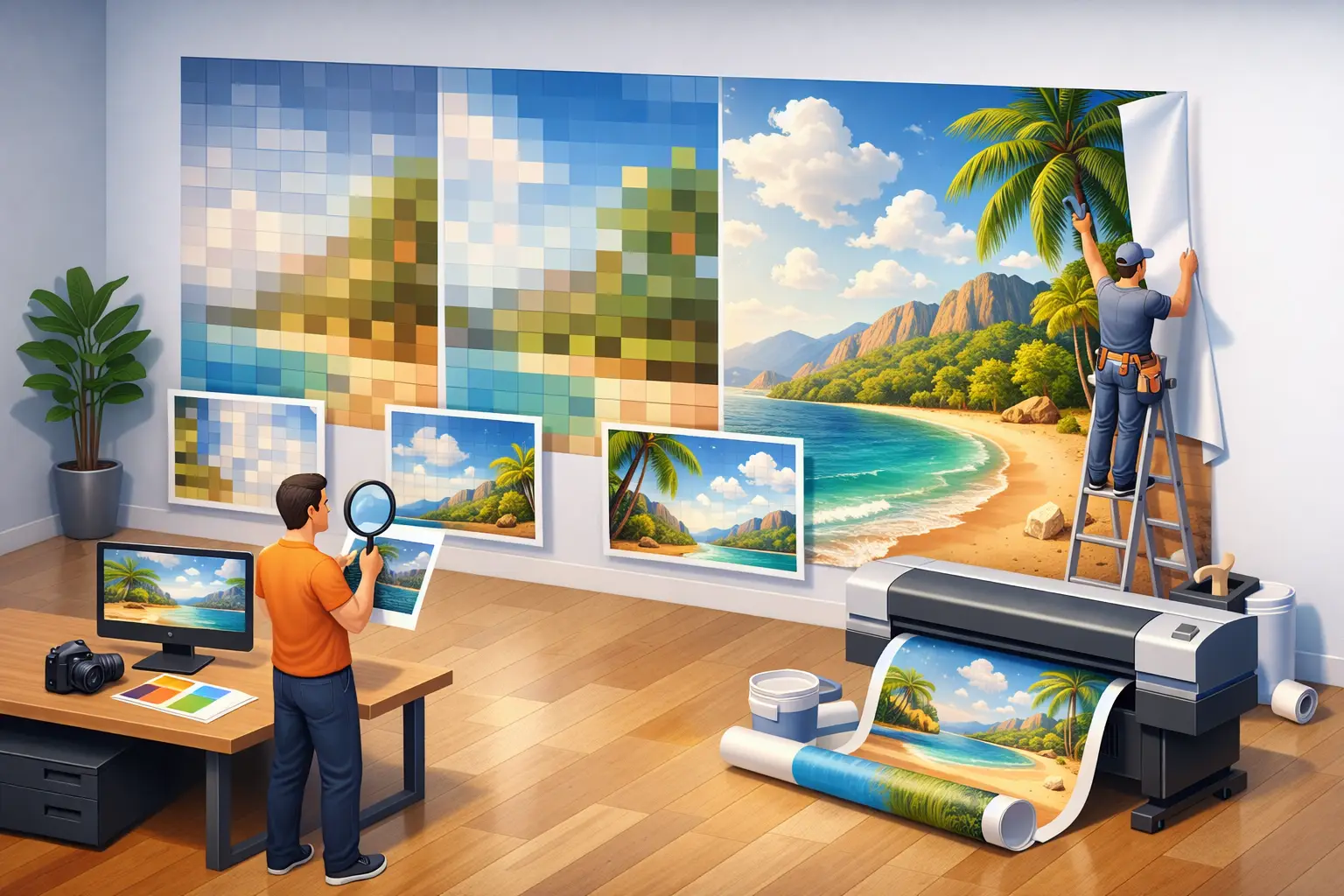
A phone photo can look flawless on a screen and still fall apart across an eight-foot wall. That is why the question, what resolution for wall mural printing, is less about chasing one universal number and more about matching your image to the mural’s finished size, placement, and viewing distance.
For a bedroom feature wall, a crisp forest scene, family portrait, or custom cityscape should hold up when someone walks into the room and when they stand nearby. The good news is that large-format printing is more forgiving than many people expect. A mural is usually viewed from several feet away, not from the few inches used to inspect a photo print. Still, starting with the right file prevents softness, pixelation, and disappointing detail in the final installation.
What resolution for wall mural printing is best?
For most custom wall murals, an image that produces 100 to 150 pixels per inch (PPI) at final size is an excellent target. At this range, details remain clean at close viewing distances, making it well suited to bedrooms, nurseries, offices, hallways, and walls where people will stand near the artwork.
A file that prints at 50 to 100 PPI can also work very well for many murals. This is common with high-quality phone photos and digital camera images enlarged for a living room or feature wall. From normal viewing distance, the image can still appear sharp and cohesive.
Below 50 PPI, results depend more heavily on the subject and location. A softly focused beach, foggy forest, watercolor-style floral, abstract pattern, or distant mountain landscape may look beautiful at a lower effective resolution. A close-up portrait, detailed architectural image, world map with readable labels, or graphic design with fine text is far less forgiving.
The practical takeaway is simple: resolution requirements rise when the mural has fine detail and will be viewed up close. They ease when the wall is large and the artwork is meant to be experienced from across the room.
Start with pixel dimensions, not the file size
When assessing an image for a wall mural, pixel dimensions matter more than megabytes. A 20 MB file may be heavily compressed or contain limited pixel detail, while a smaller file can have excellent dimensions and print quality.
To estimate the maximum mural size, divide the image’s pixel width and height by the desired print resolution. For example, an image that is 6,000 pixels wide can print approximately 60 inches wide at 100 PPI, or 80 inches wide at 75 PPI. If your wall is 120 inches wide, that same image would print at 50 PPI.
Use this formula:
Image pixels ÷ final mural inches = effective PPI
For a mural measuring 10 feet wide by 8 feet high, convert the dimensions to inches first: 120 by 96 inches. At 100 PPI, the ideal file would be 12,000 by 9,600 pixels. That is a large file, and it is not always necessary. At 75 PPI, the target becomes 9,000 by 7,200 pixels, which is more attainable for a high-resolution camera image.
Do not judge the image by width alone. A photo may be wide enough but too short for the wall’s proportions. Enlarging it to fit can require cropping important elements, stretching the image, or adding design space around the subject.
A quick reference for common mural widths
A 4,000-pixel-wide image can generally suit a mural about 40 inches wide at 100 PPI, 53 inches wide at 75 PPI, or 80 inches wide at 50 PPI. An 8,000-pixel-wide image can suit roughly 80 inches at 100 PPI, 107 inches at 75 PPI, or 160 inches at 50 PPI.
These are useful estimates, not rigid production rules. Image quality, viewing distance, and the visual style all affect what will look successful on the wall.
Viewing distance changes the answer
A framed photo is often viewed from arm’s length. A wall mural is different. A large floral mural behind a bed may be admired from the doorway, while a restaurant feature wall may be viewed from several tables away. Our eyes do not need the same density of detail at six, ten, or fifteen feet that they need at twelve inches.
This is why a lower-resolution landscape can work at full-wall scale, while a lower-resolution image behind a desk may not. If viewers can approach the mural closely every day, aim higher. If the mural sits on a broad living room wall or above a staircase, a moderate-resolution image may be entirely appropriate.
Consider the artwork itself, too. A black-and-white skyline with crisp window patterns reveals softness quickly. A painterly cloudscape or a photograph with naturally soft depth of field has more visual tolerance. Texture is not a problem by itself, but unwanted square pixels, halos, and compression artifacts are.
Why aspect ratio matters as much as resolution
A sharp image can still be the wrong choice if its shape does not match the wall. Most camera and phone images are photographed in standard horizontal, vertical, or square ratios. Your wall may be unusually wide, tall, or interrupted by doors, windows, or built-in furniture.
Before selecting an image, measure the full installation area and consider what needs to remain visible. A panoramic photo is naturally suited to a wide wall. A portrait-oriented image may work better in a narrow entryway, between windows, or behind a reading chair. For a full room-width mural, a designer may be able to extend a sky, forest, ocean, or textured background naturally around the main subject.
Cropping should be intentional. Keep faces, focal landmarks, animals, text, and horizon lines away from edges, corners, and obstacles. If the mural will be printed in panels, thoughtful composition also helps avoid placing a key facial feature or small detail directly on a panel seam.
Common image issues that resolution alone cannot fix
More pixels do not automatically create a better mural. A technically large image can still print poorly if it is blurry, over-edited, compressed, or poorly exposed. Before uploading, inspect the original image at full size on a desktop screen if possible.
Watch for these four common concerns:
- Motion blur or missed focus: Fine detail was never captured, so enlargement makes the softness more noticeable.
- Screenshot files: Screenshots are designed for displays and usually do not contain enough pixels for a large wall.
- Social media downloads: Platforms often reduce image dimensions and apply compression. Use the original camera or photographer file instead.
- Heavy filters and sharpening: Aggressive edits can create halos, grain, or unnatural edges that become more obvious in large format.
AI enlargement and professional upscaling can sometimes improve a file’s usability, especially for lower-detail scenery or decorative artwork. But they cannot restore true detail that was not in the original photo. For portraits, logos, maps, and typography, it is usually better to source a higher-resolution original than rely on enlargement alone.
Prepare the best possible file for your mural
Always upload the original image rather than an image sent through text message, downloaded from social media, or copied from a website preview. If a photographer supplied your image, request the highest-resolution version available. Avoid repeatedly saving the file as a JPEG, since each round of compression can reduce quality.
Color is also part of the decision. A screen is backlit, while a printed mural reflects light in the room. Dark images can look moodier on the wall than they do on a bright phone display. Check the file for crushed shadow areas and make sure important details remain visible in darker portions of the composition.
For custom projects, image review is worth using. An experienced print team can check pixel dimensions, cropping options, aspect ratio, and likely print quality before production. At Murale Design, that review helps turn an image idea into a mural sized for the actual wall, rather than forcing a file into dimensions that do not suit it.
Choose the image for the room, not just the screen
The best mural file is one that supports the experience you want in the space. A slightly softer ocean image may be perfect for a calm bedroom wall. A high-detail aerial city view may need a stronger source file because its appeal comes from the small details. If you are unsure, measure the wall, keep the original image file, and have its quality evaluated before ordering. That small step gives your finished mural the best chance to feel intentional from the first look across the room to the closer look that follows.
Quick reference: pixels at the final print size
Required pixels = printed inches × target pixels per inch (PPI). These examples describe file size, not a guarantee of print quality. Sharpness, compression, cropping and viewing distance also matter.
| Printed size | At 100 PPI | At 150 PPI |
|---|---|---|
| 48 × 72 in | 4,800 × 7,200 pixels | 7,200 × 10,800 pixels |
| 96 × 96 in | 9,600 × 9,600 pixels | 14,400 × 14,400 pixels |
| 120 × 96 in | 12,000 × 9,600 pixels | 18,000 × 14,400 pixels |
Send the largest original file, without enlarging it just to reach these numbers. Submit your image or ask our team to assess it at your intended wall dimensions.